Learn and research a topic
Putting notes on a whiteboard is how you build a structure you can see for what you are learning. Each concept card holds one concept: the title is one sentence that states it, and the body supports that sentence. A note can be long, as long as the whole text explains that one concept. Deeper understanding comes from the relationships among concepts drawn from different sources.
Preface
A substantial book is often long. After you finish it, digesting that material and placing it next to knowledge you already have is not easy. Even when you understood it at the time, it is hard to recall the whole of what you learned from memory alone when the work later needs it.
Most note tools spend their effort on how notes are stored: hierarchies, networks, or databases. The more important parts of learning are taking it in, keeping it, and using it: catching the point while reading, finding it again later, and applying it to a new problem.
This article describes how to do those three things in Flexnote. The method can be repeated in actual reading and research. There are few steps, and applying it to your own reading does not take long.
The method
The Feynman approach treats a clear explanation as an effective way to learn a topic deeply. Whatever you are about to explain, you first need the structure of the knowledge, and you need to be able to say that structure.
These five steps form that structure:
- Record the important passages you see while reading.
- Split those passages into smaller concepts.
- Draw the relationships among the concepts.
- Group similar concepts.
- Integrate the newly learned concepts with concepts you already understand.
The following sections describe how to do each step in Flexnote.
Record important passages
While reading, keep the important passages, and keep them under the same source, by chapter.
- While reading a PDF, highlight directly. A highlight becomes a card and can be dragged from the highlight list onto a whiteboard.
- While watching a video or listening to audio, annotate at the timestamp. The highlight card keeps the time position.
- A web page can be saved as a web card, and the passages worth keeping can be written into it.
- For an ebook or a paper book, after a chapter, write the points into a note card. One book or paper corresponds to one source card, and that card holds the passages by chapter.
At the end of this step you should have a source card you can reread, or a set of highlight cards already extracted. A source card can list points by chapter and leave passages that still need splitting in the body.
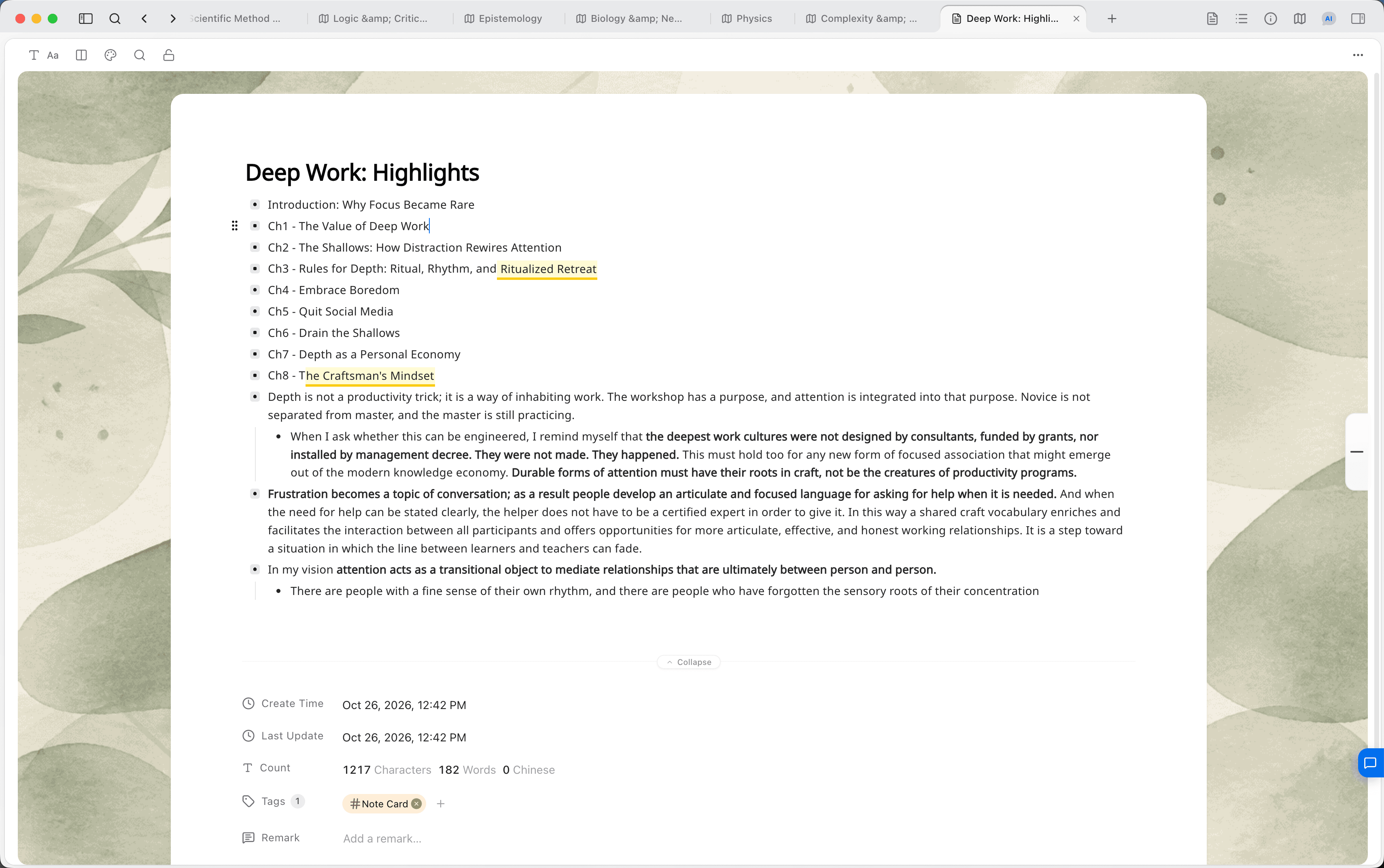
Split them into concept cards
Under a Books or Literature parent whiteboard, create a child whiteboard for this source and place the source card on it. Open the card in the sidebar, read it through, and mark the concepts that stand on their own.
Select the passage that belongs to one concept, and choose Turn into new card in the block menu. Write the concept in one sentence and use that sentence as the card title, so you can tell what it says later without opening the body. Then adjust the body to match your own understanding. If the source card still has related passages, keep extracting them into this concept card.
A highlight card is already its own card. Drag it onto the whiteboard and add the one-sentence title. Concept cards enter the card library and can sit on the same whiteboard as the original source card.
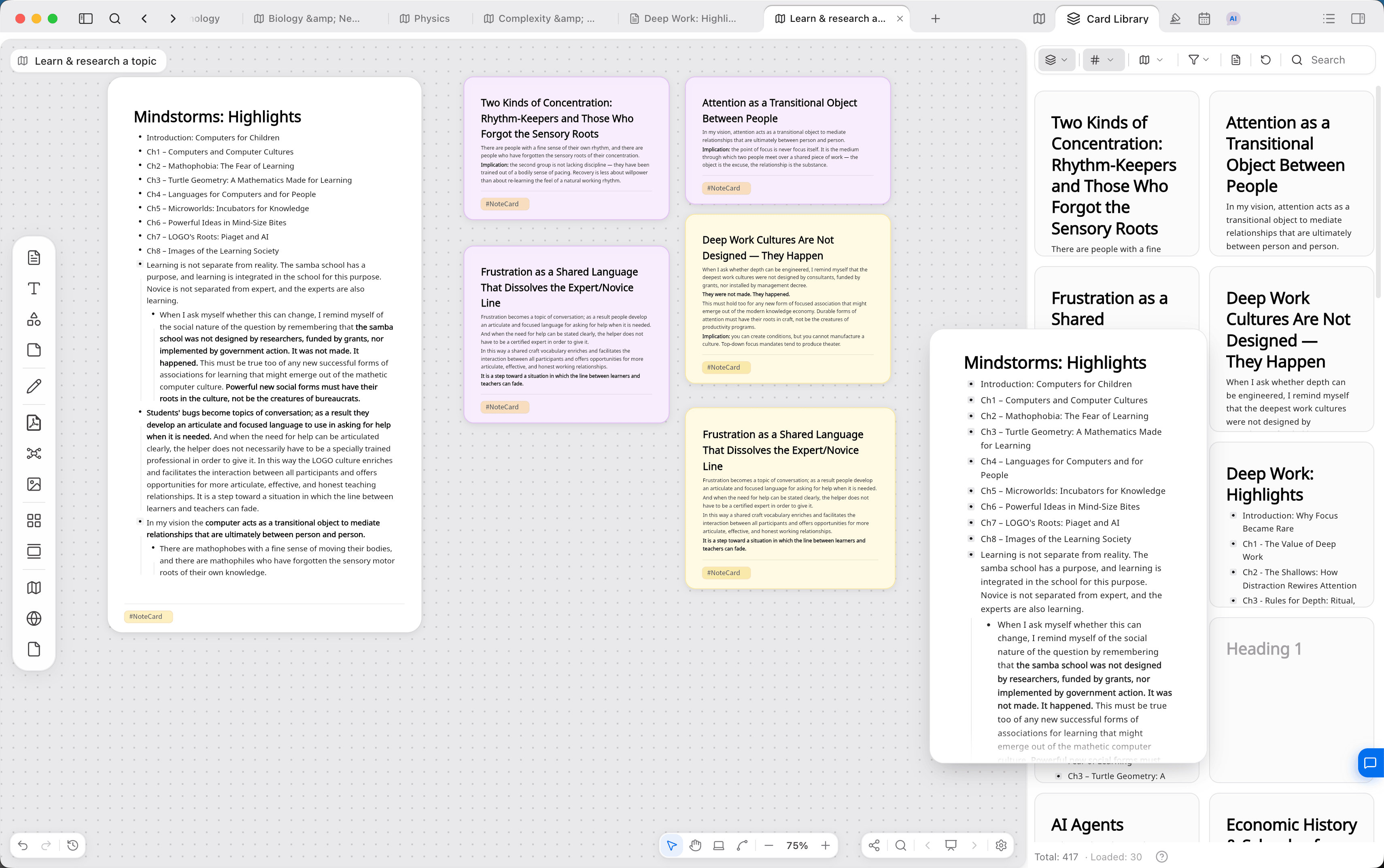
Draw the relationships
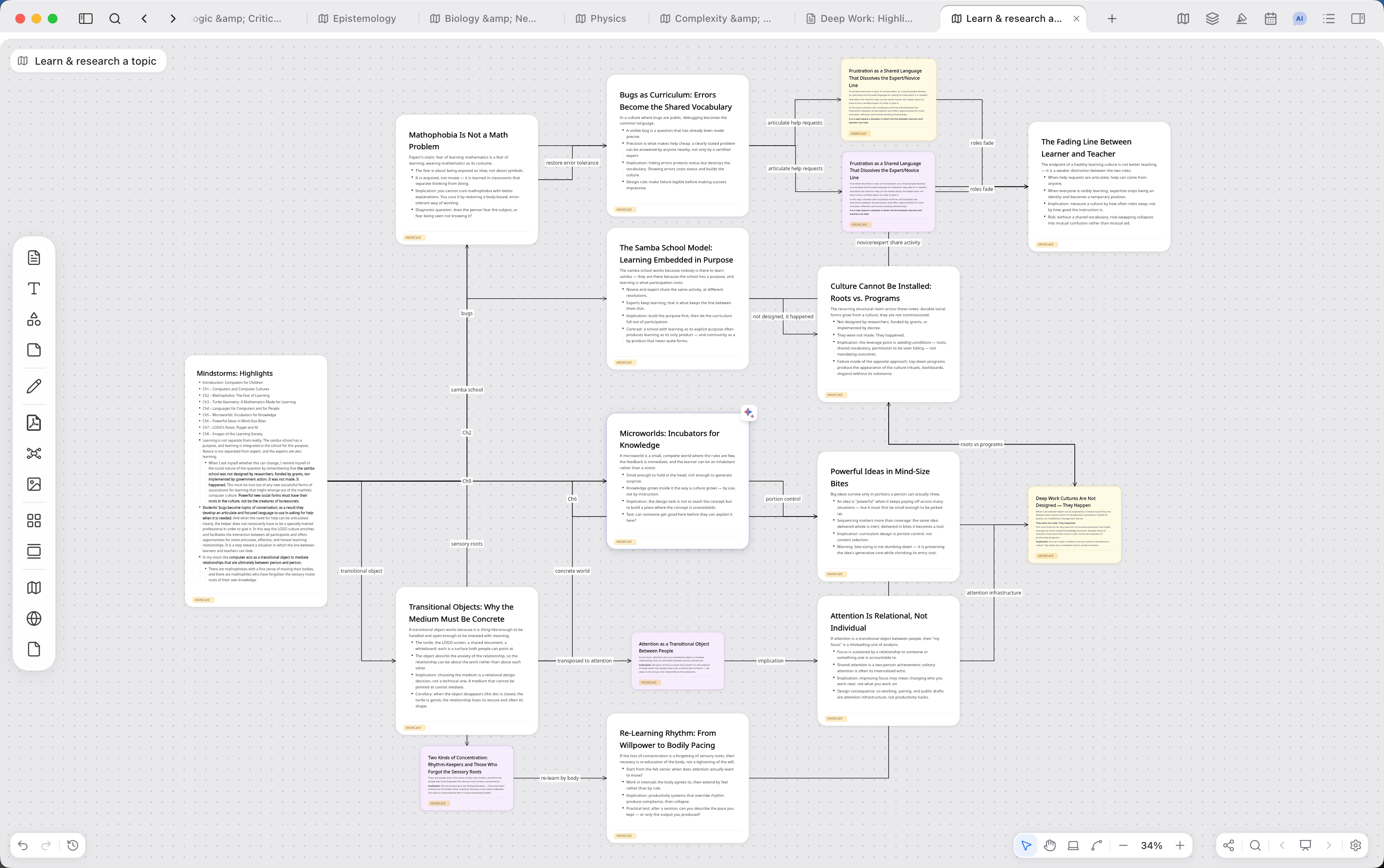
After there are more concept cards, mark sequence, cause, or contrast with connectors, and write the relationship on the connector. Place cards with close content together. If two cards discuss the same idea, merge the content into one of them. If one card contains more than one concept, split it into smaller cards. The source card can stay at the side of the whiteboard as the origin of these concepts.
Dragging and connecting these cards on the whiteboard gradually forms a relationship network you can survey.
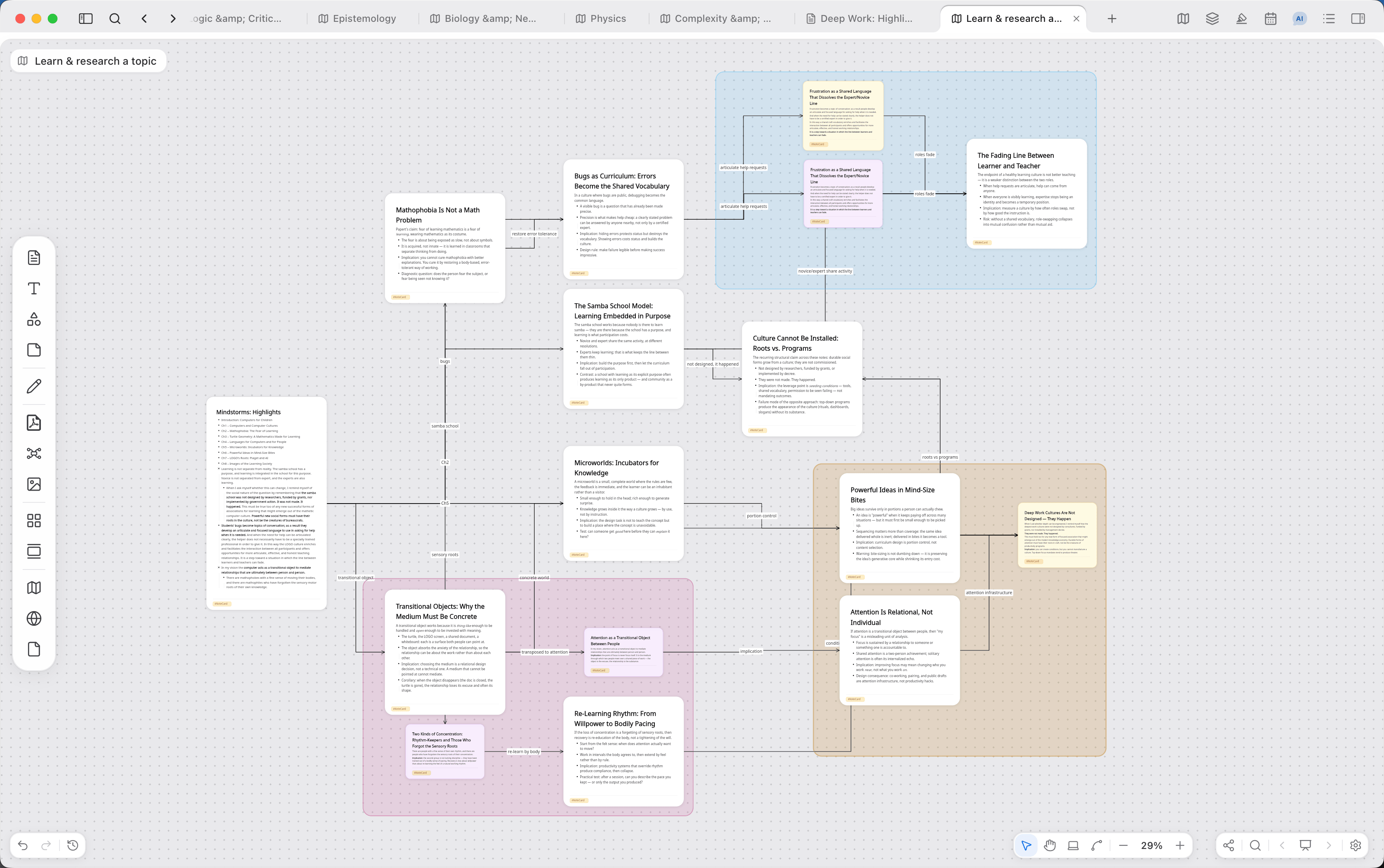
Group nearby concepts
After the source card has been fully extracted, collapse the sidebar and work on the relationships and groups among the cards. When several cards belong to the same subtopic, marquee them and press Cmd/Ctrl + G to create a group, then write the group name. Like a card title, the group name should still show what that region is about after you zoom out. Connectors can remain inside the group.
The time this step takes depends on the length of the source: about an hour for a short one, up to a day for a long one. What is valuable is the process of splitting, rearranging, and writing the titles in your own words. The whiteboard is the result of that process.
After the layout is done, return to the source card and mention these concept cards, and the cards that correspond to the groups, with @. When the titles are sentences, the source card becomes an outline of the points that does not require opening each card.
Integrate with knowledge you already have
After you understand one book, you can also place its concepts next to concepts from other books, courses, and notes. For that, a concept card needs to be usable again on its own, apart from the original source.
Create another whiteboard for the research topic, for example Dynamic media. Drag in the concept cards from different books that belong to that topic. The same card can appear on both the book whiteboard and the topic whiteboard, and the body is stored once. When there are many cards, switch to a mind map, or split subtopics with nested whiteboards.
Connecting two very long book cards only says that the two sources are related. It does not show the relationship between concepts. Connect the concept cards that were split out of the sources.
From source material to output
Learning and research means taking the points out of books, papers, courses, and experience, and relating them again with your own structure. A plan, paper, or article rewrites that structure into linear text someone else can read.
Material in Flexnote therefore passes through three layers:
- Source cards. Book notes, PDFs, web pages, and highlights kept at the time of reading.
- Concept cards. One concept drawn out of the source. The title is one sentence. The body cites one or more sources to support it.
- Topic whiteboards. Concept cards placed in a structure you can retell. When writing, reassemble those cards in the order the article or plan needs.
PDFs from reading can first sit on the whiteboard as source material, then be split into concept cards and arranged into the structure above.
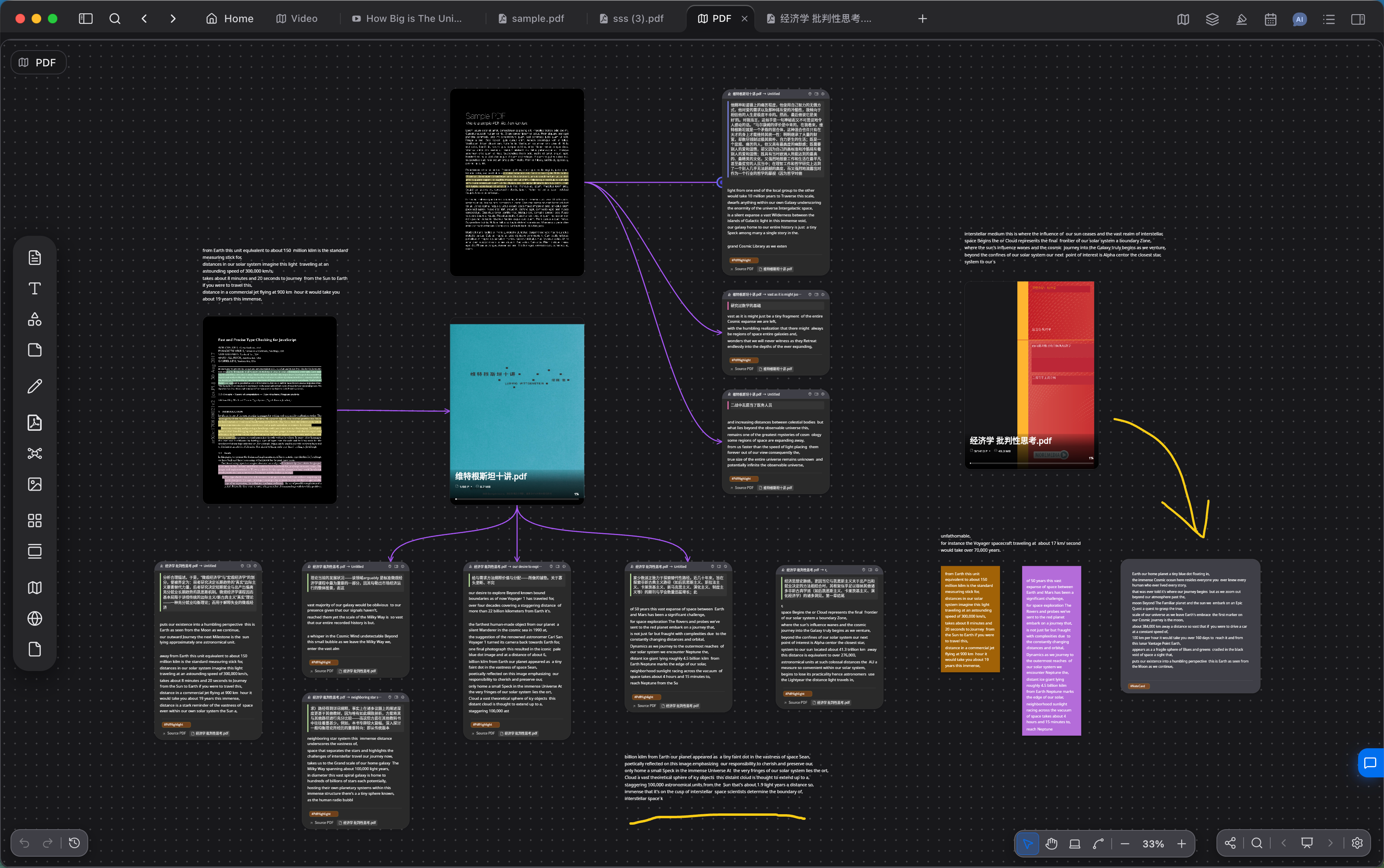
The more the source is split, the clearer the structure in the middle becomes, and the more the later writing has to stand on. How to finish a draft is in Writing and sharing.
Closing
Taking knowledge in, keeping it, and using it depends on a repeatable method, and on whether the tool lets that method be carried out. The design of a tool changes what a person expects from learning, and gradually becomes a habit.
Seymour Papert discusses this in Mindstorms. For him, writing is drafting and then revising over a long time. For a child still writing by hand, rewriting an essay is so much work that the first draft often becomes the final draft, so the habit of going back over one's own words is hard to form. After a text editor, revision is easier and the current draft stays clear, and the experience of writing moves closer to that of an actual author. The computer does not prescribe a culture. It makes certain ways of thinking and revising possible.
Flexnote is meant to put the process that happens in the mind during learning somewhere it can be seen and adjusted by hand: recognizing a concept, splitting it into a card, moving content between cards, building relationships on a whiteboard, grouping nearby concepts, and reusing the same card across whiteboards. Used together, visual understanding can work alongside material that stays searchable on the device. Building structure for what you learn in this way, often, turns the five steps into a habit of reading.
Continue reading
How loose ideas enter daily notes is in Capture ideas and daily notes. How topic whiteboards are layered is in Organize knowledge and projects. Highlight and card actions are in Core elements.